

How to Change A Lock Box Code

Need to change your lock box code? Whether it’s for an Airbnb or to hold a spare key, knowing how to change a lock box code is vital for safety and privacy.
We’ve seen many people learn the hard way when a previous guest or former friend has shown up unannounced or has told the current code to people they shouldn’t. Spending just 2 minutes resetting your lock box is a lot easier than having your stuff stolen.
How Do You Change a Lock Box Code?
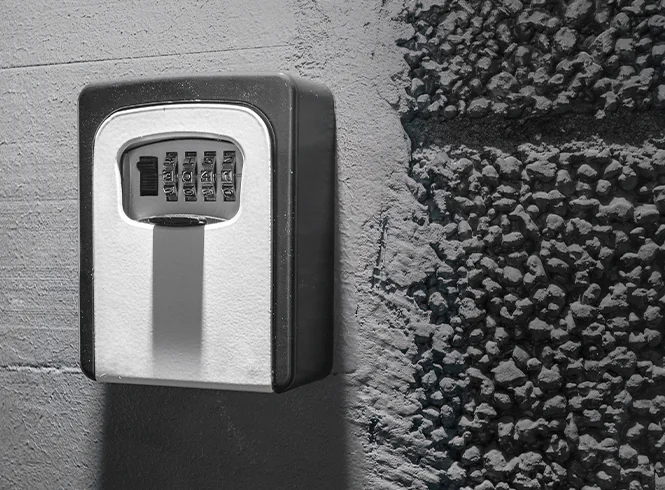
Majority of lock boxes allow you to change the code by opening the box, locating the reset mechanism, setting a new combination, and locking it back into place.
Our locksmiths recommend checking the manufacturer’s instructions before changing you combination to avoid accidental lockouts.
Step-by-Step Guide
Most lock boxes are straightforward to reset. However, each brand does things slightly different.
Resetting A Tumbler Style Lock Box
- Open the lockbox using the current code
- Locate the reset lever or button (usually inside the box)
- Move or press the reset mechanism (often a small lever or pin)
- Enter your new 4-digit code
- Return the reset lever/button to its original position
- Test the new code before closing the box
Top Tip: avoid using predictable codes like 1234 or your postcode
Resetting A Pushbutton Lock Box
- Open the lockbox using the current code
- Locate the plastic slot or key tool inside the door
- Remove the reset tool from its storage slot
- Find the plastic screws/arrows on the back of the keypad
- Insert the tool into the slot of the number you want to change
- Turn the arrow 180° so it points towards the ‘set’ position
- Repeat for all numbers in your new code
- Test the new code with the door open before closing it
Resetting Digital or Bluetooth Smart Lock Boxes
- Use the companion app or web portal to manage guest access
- Set unique codes for each stay, some even let you set expiration after checkout
- Check access logs to see when codes were used
These systems offer enhanced tracking and time sensitive codes, ideal for people with a busy lifestyle or you just feel safer using smart locks.
Why This Actually Matters
Regularly changing your lockbox combination is an important security measure that helps prevent unauthorised access to your property. It ensures that only you and those you authorise can access the lockbox, while reducing the risk of someone guessing or using an old code.
Best Security Practices
While you’re thinking about security, take a quick look at the security of your property and consider a few more things
- Inspect and maintain the lock box: Check for signs of tampering, damage and be sure to lubricate the mechanism if it feels too stiff.
- Keep spare keys secure: avoid leaving back up keys inside the property.
- Change the locks if keys are lost or not returned
- If anyone has ever left your property under suspicious circumstances.
- Someone hasn’t returned a key
- You’ve had multiple sets of untracked key copies over time
As professional locksmiths, we recommend high security anti-snap locks for rental properties. These provide added protection and can be upgraded quickly and affordably.
Why Should You Call a Locksmith?
You should call a locksmith if:
- You’ve lost control over who has access to your property.
- The lock box or door lock is damaged or not functioning properly.
- You need to upgrade to smart locks or restricted key systems for better control.
- You want a master key system for multi-unit properties or HMOs.
Locksmiths can also advise you on insurance-compliant locks, smart access options, and routine key rotation to keep your home secure year-round.
The Bottom Line
You and your property’s safety is worth more than the couple minutes it takes to reset your lock box combination. Make it apart of your reset routine, whether that’s bi-annually, monthly or weekly. Your future self will thank you.

Jim Lockwood
Jim Lockwood is a fully qualified locksmith with over 10 years of hands-on experience in domestic, commercial, and emergency locksmith services across the UK. Holding a Level 4 NCFE Locksmithing accreditation—Jim is a trusted authority in lock security, key systems, and burglary prevention.
As Keytek’s lead technical content specialist, Jim draws on real-world experience to create detailed, trustworthy resources that help homeowners, tenants, and professionals make informed decisions about their security. From guiding readers through emergency lockout procedures to explaining locksmith pricing, his content combines expert knowledge with practical, easy-to-follow advice.
Throughout his career, Jim has tackled a wide range of locksmithing scenarios—including uPVC door lock failures, snapped keys in locks, and high-security upgrades and remains actively engaged in the locksmith industry, staying up to date on emerging technologies, British Standards, and security legislation. This ensures that every guide, article, and tutorial he authors is not only accurate and actionable but also aligned with the latest best practices.
Related articles
Majority of lockboxes can have their combination changed. However older or basic models may not support resetting. We recommend double checking beforehand for optimal security.
In most cases tools are not needed, with the reset being done using a lever, button, or dial inside the lock box. However, pushbutton lock boxes will require a key tool which will come provided inside the door.
If the code is forgotten, you may use your backup key. You can also call the manufacturer of your lockbox where you can ask for a reset procedure, which will require you to provide the lock ox’s serial number and proof of purchase.
However, if you do not have this available or it does not work the lock box may need to be opened by a professional or replaced depending on the model. We are happy to help if this happens.